
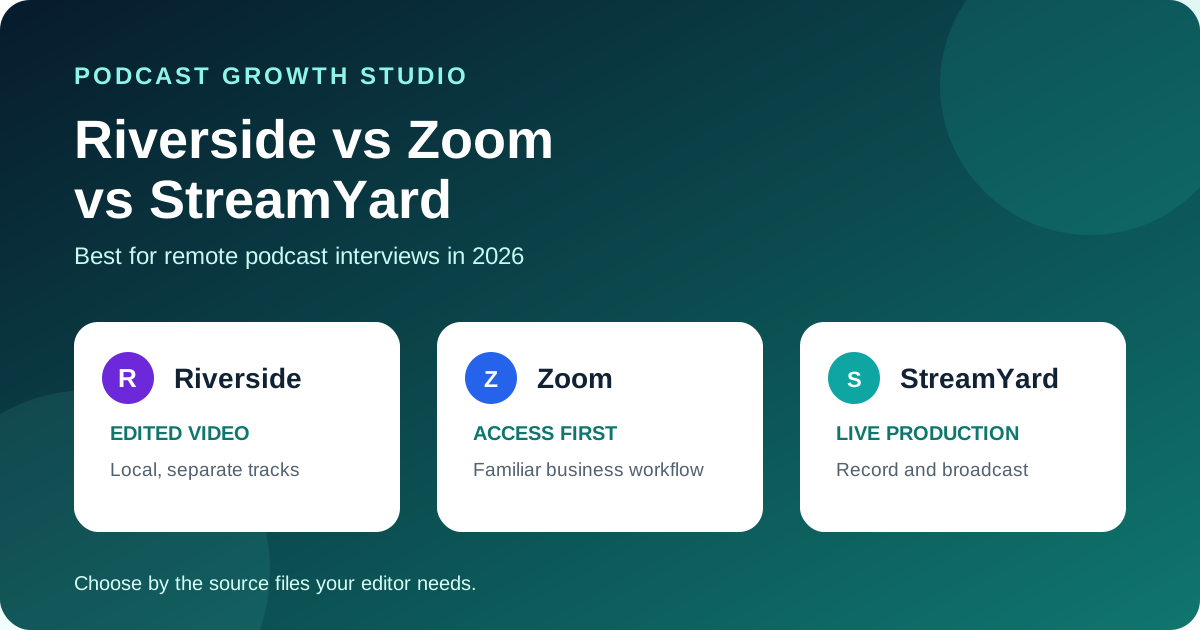
Choose Riverside when recording quality and separate editor-ready tracks are the priority. Choose StreamYard when the same production needs to be recorded and broadcast live. Choose Zoom when guest familiarity, IT approval, and meeting controls matter more than isolated local video files.
All 3 platforms can record a remote conversation. They produce different source files and create different risks after the guest leaves. This comparison focuses on the files your editor receives, not the number of AI features on a pricing page.
Editorial disclosure: this is a primary-source documentation review, not a hands-on reliability benchmark. No vendor paid for inclusion or placement. Features and plan limits can change, so confirm them before buying.
 Riverside
The quick answer
Riverside gives a podcast editor the strongest default handoff of the 3 because it records each participant locally and provides separate audio and video tracks. StreamYard also provides separate local participant files when local recording is enabled, while adding livestreaming, branded production, and project-file exports. Zoom can create separate participant audio files, but its computer-recorded video follows the recorder's meeting layout.
Riverside vs Zoom vs StreamYard comparison
| Decision | Riverside | Zoom | StreamYard |
|---|---|---|---|
| Best fit | Edited remote video podcasts | Familiar business interviews | Recording plus live production |
| Participant capture | Local audio and video | Computer or cloud meeting recording | Optional local audio and video |
| Separate participant files | Audio and video | Audio; video depends on recording layout | Audio and video when enabled |
| Guest friction | Join by link or mobile app | Very familiar to business guests | Join browser studio by link |
| Live production | Available, but recording is the main fit here | Meeting and webinar workflow | Core strength |
| Main caution | Confirm quality and hours on your plan | Less control over isolated participant video | Local recording must be enabled first |
When Riverside wins
Riverside is the clearest choice when one remote interview must become a polished full episode, vertical clips, and other edited assets. Riverside documents local recording, separate participant audio and video tracks, progressive uploading, and raw-file downloads. Its current recorder page lists up to 4K video and 48 kHz audio, subject to the selected settings, device, and plan.
Choose Riverside when:
- Your editor needs a clean file for each speaker.
- A weak guest connection should not define the final recording quality.
- The interview will be reframed into vertical clips.
- You want recording and transcript-based editing in one platform.
Verify before paying: invite the least technical person on your team, interrupt their connection, let the session upload, then download every raw and backup file. Review Riverside's official podcast recorder documentation.
When Zoom wins
Zoom wins when the interview must happen inside a tool the guest and company already approve. Computer recording is available to free and paid subscribers. It can save separate participant audio files when that option is enabled.
The tradeoff is video flexibility. Zoom says computer recording captures the meeting as the recorder sees it. Speaker, gallery, and screen-share changes become part of the recorded video. Cloud recording offers more layout options, but it is still a meeting-recording workflow rather than the same isolated local participant video workflow offered by specialist podcast platforms.
Choose Zoom when:
- Executives or clients will not join an unfamiliar recording studio.
- Company controls and existing access matter more than the cleanest source files.
- The final asset is audio-first or needs only a simple video edit.
- The interview is more important than a complex post-production workflow.
Verify before recording: enable separate participant audio, choose the intended video layout, record a screen share, and confirm the files on the host computer. Review Zoom's official computer recording guide.
When StreamYard wins
StreamYard is the strongest fit when one studio must handle interviews, livestreams, webinars, and branded broadcasts. Its local recording option creates separate audio and video files for each participant. It can also create separate screen-share files and export aligned project files for Premiere Pro, Final Cut Pro, and DaVinci Resolve.
Local recording must be enabled before the session. StreamYard warns that incomplete uploads and local browser storage still matter. Guests should remain in the studio until their upload completes, although recovery can be possible from the same browser and device.
Choose StreamYard when:
- You record and livestream from the same studio.
- A producer needs banners, layouts, comments, or multiple destinations.
- Your editor uses Premiere Pro, Final Cut Pro, or DaVinci Resolve.
- You need a clean local recording plus a produced cloud version.
Verify before going live: enable local recording, confirm each guest has enough device storage, finish every upload, and open the exported project in the actual editor. Review StreamYard's official local recording guide.
Which one is best for a marketing or corporate team?
Use Riverside for an edited content program, StreamYard for a live content program, and Zoom for an access-first interview program. That choice should follow the output your team must deliver, not the tool employees already happen to have open.
For an edited B2B podcast, separate local video tracks preserve more options for clips, reframing, speaker correction, and visual cleanup. For a webinar or live show, StreamYard's production controls reduce the need to connect another broadcast tool. For a senior guest with strict company access, Zoom removes a preventable booking obstacle.
Run the same 30-minute test on all 3
- Invite one person who has never used the platform.
- Record 10 minutes with camera, microphone, and screen sharing.
- Create 20 seconds of overlapping speech.
- Interrupt the guest connection for 20 seconds.
- End the session before the guest immediately closes the app or tab.
- Download every source, backup, and combined file.
- Ask the editor to sync, repair, and cut one vertical clip.
- Record the guest setup time, missing files, recovery steps, and editor time.
The winner is the platform that finishes the test with the fewest guest problems and the cleanest recoverable handoff.
Frequently asked questions
Which is best for remote podcast interviews?
Riverside is the strongest starting point for edited video podcasts. StreamYard is better for live production. Zoom is better when familiarity and company approval decide whether the guest joins.
Does Zoom record separate tracks for each guest?
Zoom computer recording can save separate participant audio files. Its recorded video follows the selected meeting layout, so it does not provide the same isolated participant video handoff as Riverside or StreamYard local recording.
Does StreamYard record guests locally?
Yes, when local recording is enabled before the session. StreamYard creates separate local audio and video files for participants and can record screen shares separately.
Does Riverside record separate local tracks?
Yes. Riverside documents local recording with separate audio and video tracks for each participant, uploaded during or after the session.
Recording is only the first handoff
The recording platform protects the source. It does not decide which moments deserve clips, which ideas become carousels, or how the episode reaches buyers. Compare all 10 options in our remote podcast recording software guide, then use the 3-Test Rule for choosing clips. If your team wants the post-production handled, see the PGS podcast content repurposing service.