
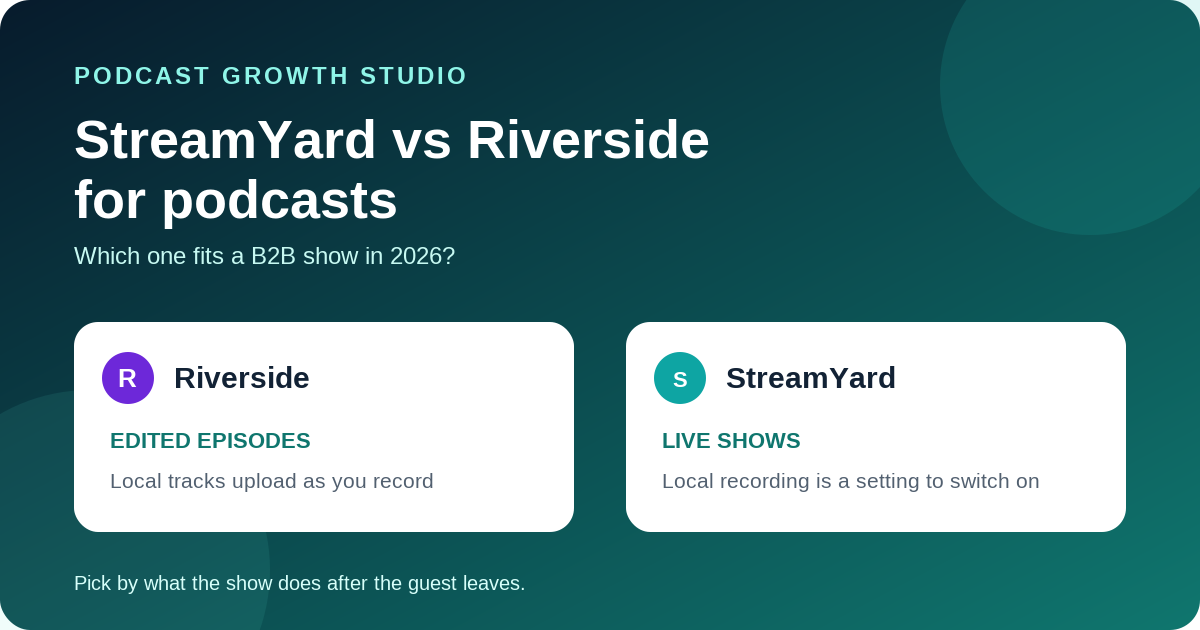
Choose Riverside if your podcast is edited after recording, because it records every participant locally and uploads the tracks while you record. Choose StreamYard if the show goes live, because the studio is built for broadcasting and can also record each participant locally when you switch that on before the session. For a B2B show that publishes clips, Riverside is the simpler default, and StreamYard earns its place when livestreams matter as much as the edit.
Both tools sit in the same browser-based studio category, so they look similar on a pricing page. The difference shows up in three places: what files your editor receives, what you have to remember to switch on, and what you must pay for to get both live streaming and clean local files.
 Riverside
Editorial disclosure: this is a review of each vendor's own pricing page, product page and help center, all checked on November 25, 2026. It is not a hands-on reliability test, and no vendor paid for inclusion or placement. Plans and prices change, so confirm them before you buy.
Which one should a podcast pick?
Pick by what the show does after the guest leaves. If the episode is edited into a full video, audio feed and vertical clips, Riverside gives you the cleaner starting point. If the episode is a live broadcast first and a recording second, StreamYard is the tool built for that.
| Decision | Riverside | StreamYard |
|---|---|---|
| Best fit | Edited video and audio podcasts | Live shows that are also recorded |
| Local recording per participant | Core to how it works, tracks upload while you record | Optional, must be switched on before the session |
| Separate audio and video per person | Yes, on every paid plan | Yes with local recording: WAV audio plus a video file per person |
| Livestreaming | From the Grow plan up | Core of the product, from the free plan up |
| Guest joins by | A link, no download | A link, in a browser studio |
| Main thing to watch | Monthly cap on separate-track downloads | Forgetting local recording, or a guest leaving before upload ends |
What files does each one give your editor?
Riverside records each participant on their own device and uploads the tracks to the cloud while the session runs. Its podcast recorder page says each participant's video and audio are captured on separate tracks, in up to 4K video and 48kHz audio, with guests joining by link and no download. It also says you can invite up to 9 remote guests (Riverside podcast recorder, checked November 25, 2026).
StreamYard records the stream in the cloud by default. Local recording is a setting you enable in the studio before you start. When it is on, StreamYard's help center says you can download an individual audio file and an individual video file for each participant, plus separate tracks for each screen share, slide and video played. Individual audio downloads as WAV, and the combined audio is an MP3 (StreamYard help center, checked November 25, 2026).
Three details in that help article matter more than any feature list:
- It must be on before you start. StreamYard says individual participant files are only generated if local recording was enabled before the session begins, and cannot be recovered afterwards.
- There is no local mixed file. You cannot download a locally mixed version of the whole stream, only the cloud-mixed one, which includes banners, logos and backgrounds. Local files are clean feeds without those.
- The guest has to finish uploading. Everyone should stay in the studio until their upload completes. StreamYard says a guest who leaves early can return to its upload page for up to 30 days after the recording, but not if they joined in a private window. It also recommends about 5GB of free storage on each participant's device and says that if connection problems last too long, lost segments cannot be recovered.
Riverside's pricing page lists one limit worth knowing: recording is unlimited, but separate-track downloads are capped per billing cycle (15 hours on Pro, 20 on Grow, 25 on Webinar, unlimited on Business). If you hit the cap you can still access your content but cannot download new separate tracks until the next cycle or an upgrade (Riverside pricing, checked November 25, 2026). For one weekly episode, 15 hours a month is likely plenty. For a team recording several shows it is worth counting.
Which one is better for going live?
StreamYard, unless you already pay for Riverside's Grow plan. StreamYard's free plan and every paid plan include streaming, and its paid plans add multistream destinations (2 on Essential, 3 on Core, 8 on Advanced), on-screen participant limits and, on Advanced, on-air webinars for up to 100 viewers (StreamYard pricing, checked November 25, 2026).
Riverside's Pro plan lists no live streaming. Grow adds Full HD 1080p live streaming and multistreaming to unlimited destinations, and the Webinar plan adds registration, Q&A and polls for webinars of up to 100 registrants (Riverside pricing).
The practical point: if you want local files and live streaming from the same tool, you pay for StreamYard Core or higher, or Riverside Grow or higher. Neither is a cheap shortcut.
What do StreamYard and Riverside cost?
Here are the list prices each vendor showed on November 25, 2026. Monthly means billed monthly. Yearly shows the per-month rate when billed annually.
| Plan | Monthly | Yearly (per month) | What the page highlights |
|---|---|---|---|
| Riverside Pro | $29 | $24 | Up to 4K video, 48kHz audio, no watermark, 15 hours of separate-track downloads |
| Riverside Grow | $39 | $34 | Adds live streaming, multistream, 20 hours of separate-track downloads |
| Riverside Webinar | $99 | $79 | Adds webinars for up to 100 registrants, 25 hours of separate-track downloads |
| StreamYard Free | $0 | $0 | 2 hours a month of local recording, 6 on-screen participants, StreamYard logo on streams |
| StreamYard Essential | $18.99 | $14.99 | Unlimited streaming, 2 destinations, 1080p |
| StreamYard Core | $44.99 | $35.99 | Unlimited local recordings, cloud recording, 10 on-screen participants, 3 destinations, no logo |
| StreamYard Advanced | $88.99 | $68.99 | Adds 4K local recordings, 8 destinations, 15 backstage participants, on-air webinars |
Sources: Riverside pricing (the monthly and yearly figures come from its billing FAQ) and StreamYard pricing. Riverside showed a 14-day free trial and StreamYard a 7-day trial. StreamYard's page says prices can vary with promotions, seasonal deals and renewal terms.
The like-for-like comparison is Riverside Pro against StreamYard Core, because Core is where StreamYard lists unlimited local recording. At the monthly list prices above that is $29 against $44.99. It is not a clean match: Core also includes multistreaming and a larger studio, and Pro does not stream at all.
One line on StreamYard's page matters for business buyers. It says Essential, Core and Advanced are for individual use only, and it points companies to separate Business plans whose prices are not shown. If a company is buying, ask before you assume the Core price applies to you.
Which fits a B2B show?
For a company-run B2B interview show that publishes weekly and cuts clips for LinkedIn, Riverside Pro is the simpler default. Separate local tracks are the normal workflow rather than a setting to remember, which removes one avoidable failure: the host forgets to tick the box and only the cloud-mixed recording exists.
Choose StreamYard instead when:
- The show is live first. Webinars, LinkedIn Live and Q&A shows, where the broadcast is the product and the recording is a by-product.
- You need on-screen production. Banners, overlays, backstage guests and several destinations from one studio.
- You can run a checklist. Local recording on, 1080p studio resolution, guests stay until upload ends. Teams that do this get clean files. Teams that skip it get cloud copies.
If neither fits, our Riverside vs Zoom vs StreamYard comparison covers the case where the guest will only join on Zoom, and the remote recording software guide compares ten tools.
How do you test before you pay?
Run one short trial on each, with the guest who is hardest to coach. Both vendors list a free trial and StreamYard also has a free plan, so the test costs about 30 minutes.
- Record 10 minutes with a guest who has never used the tool, on a normal home connection.
- On StreamYard, switch local recording on first. Note how long it takes before the guest can leave.
- Download every individual file and the combined file from each.
- Give them to your editor and ask for one 45-second vertical clip. Note the time and every problem.
The winner is whichever tool gives your editor the cleaner files with the fewest steps for the guest.
Frequently asked questions
Is StreamYard or Riverside better for podcasts?
Riverside is the better fit for an edited podcast, because every participant records locally and the tracks upload while you record. StreamYard is the better fit when the show goes live, because the studio is built for broadcasting, and it can also record each participant locally when that option is switched on before the session.
Does StreamYard record separate tracks like Riverside?
Yes, when local recording is enabled before the session starts. StreamYard's help center says it gives each participant an individual audio file (WAV) and video file, plus separate tracks for screen shares. It also says individual files cannot be created afterwards if local recording was not switched on.
Can you livestream with Riverside?
Yes, from the Grow plan up. Riverside's pricing page lists Full HD 1080p live streaming and multistreaming to unlimited destinations on Grow. The Pro plan does not list live streaming.
How much do StreamYard and Riverside cost?
On November 25, 2026, Riverside listed Pro at $29 a month ($24 a month billed yearly), Grow at $39 ($34 yearly) and Webinar at $99 ($79 yearly). StreamYard listed Essential at $18.99 a month, Core at $44.99 and Advanced at $88.99, with lower yearly rates and a free plan. Prices change, so check both pricing pages before you buy.
Can a company use StreamYard's Core plan?
StreamYard's pricing page labels Essential, Core and Advanced as for individual use only and points companies to its Business plans, which are not priced on the page. If a team is buying, read StreamYard's Plan Usage Policy or ask its sales team first.
Record once, then get more from the episode
The recording tool decides how clean your source files are. It does not decide which moments become clips or how the episode reaches buyers. For choosing the moments, see the 3-test rule for choosing podcast clips. If you want the clips, carousels and posting plan made from each episode for you, see The Content Engine.
Podcast Growth Studio (PGS) is a studio that turns one B2B podcast episode into a month of LinkedIn content: captioned clips, carousels, quote graphics and a posting plan, for coaches, consultants, CPAs, advisors and founders who podcast.